Tuesday, October 24, 2017

Data Recovery for IOS Android?


If you don’t have a computer, you can’t get back deleted pictures from your phone. You need a computer to run data recovery program and scan your phone to find the deleted photos for you. You can preview the photos on your computer and then recover any of them from your phone to computer.
If you are using iPhone, you need to use iPhone Data Recovery program to scan your iPhone and find the deleted photos on your phone. You can preview the deleted photos on iPhone. You can recover any of them from your iPhone to computer.
Here is how to do that:
1. install and run iPhone data recovery program on computer
2. connect your iPhone to computer and scan it to find the deleted text messages on it
3. preview and recover deleted photos on iPhone
Learn how to recover deleted photos from iPhone. You can also recover deleted messages, videos, contacts, call history, notes, reminders, calendars, voice memos, voicemail, safari bookmarks, Whatsapp messages and other deleted data from iPhone to computer.
If you are using Android phone, you need to use Android Data Recovery program. It can scan your Android phone and SD card deeply to find the deleted photos on it. You can preview them and recover any of them from your Android phone to computer. Learn how to retrieve deleted photos from Android phone. Besides photos, you can also recover deleted messages, videos, contacts, call logs, whatsapp messages, music, books and other document files from your Android phone to computer.
look it: www.bitwar.net

Thursday, October 12, 2017

iphone text messages can be restored?

 Accidentally put messages to deleted, now need to do? Xiaobian to support a move, I hope to help you. Here we explain in detail the apple mobile phone SMS recovery tutorial, Android mobile phone friends to download Android Data Recovery.
1. first you need a software download, click on the URL: http://www.bitwar.net/
2.After the download is complete, connect your iPhone with the data line from the pop-up interface. You can also click "recover from iTunes" (using this feature to download your iTunes in advance to back up your data).


3.Check the text column, then click start to restore. The software will begin to scan, according to the size of your mobile phone storage content, scanning time is not the same.

4.In the results of the scan, you can click on the preview, you can see more intuitive data, check what you want to restore, click on the recovery can be.

The four steps above is very simple, to help you easily recover accidentally deleted the mobile phone text messages.


Ios Data Recovery Full
Recovery For Android Phone 


How to restore the lost mobile phone in the memo


   Many young people love to do things to write down notes in the mobile phone, the following small combine personal experience to share with you the next Apple mobile phone memo deleted how to restore. Do something to love a lot of fruit powder recorded in the mobile phone memo, so that you won't forget, saying: good good mind as bad written. But once the mobile phone upgrade or erase all content and settings of how to do? How to restore the lost mobile phone in the memo?
1, for this situation, Xiao Bian tested many times, after all, found the mobile phone memo, deleted how to restore the effective method, first of all, we need to download and install iPhone Data Recovery software in the computer.

2, then the connection loss memorandum of mobile phone and computer connections after open universal data we installed the software. According to the step recovery master, you can click the "recovery from iTunes" (this function need to download the iTunes can backup your data).
3、Check the memo column, and then click start to restore. The software will begin to scan, and depending on the size of your phone storage, the scan time is also different.

4、The scanning process due to mobile phone data to determine the size, generally tens of seconds you can fix. Do not arbitrarily close scanning software, otherwise the data will not complete. In the scan results, you can click on the preview, it can be more intuitive to see the data, check you want to restore the content you can click the restore.


Xiao Bian said: in the example above we can see that iPhone Data Recovery can not only restore the memo also can restore WeChat mobile phone mobile phone chat, mobile phone photos, mobile phone mail list and mobile phone SMS. If you have encountered a similar situation that can be downloaded to try to recover myself.
Formatted Disk Recovery 
Data Recovery From Iphone 
Recover Deleted Files Android 


Android mobile phone short message deleted should how to retrieve?

 How can the most simple recovery of mobile phone SMS? There are a lot of mobile phone messages deleted recovery method, but many methods are cumbersome and not necessarily in the past, can be restored, will waste a lot of time and money, it does not pay. Today Xiaobian teach you a trick, a key recovery Android mobile phone short message deleted.
Here you can use "Android Data Recovery", which is a professional data recovery software, not only supports a key to restore data, but also simple, fast, and very easy to operate.
1.Open any browser, search and download the "universal Android Data Recovery software, editorial recommendation here we go to the official website (http://www.bitwar.net/) download, can avoid a lot of malicious software bundled, then download the software to install.

2.Click to run the software, open the software after you can see nine different recovery in the selection of software interface, click here to enter "all options", also can individually choose "text" into.


3. after entering the software will scan the mobile phone data, here we patiently wait for the scan. After the end of the scan can end, software interface will display the corresponding scan information, you can click here to view the scan messages.

4., then you can preview the contents of the text to be restored on the right side of the software, click on the text of the message that needs to be restored, then select the recovery button below to recover the message.
The above steps is how to restore Android mobile phone short message deleted, all according to the operation step, it can be deleted text messages back, very simple and quick!
Android File Recovery 
Ios Data Recovery Best Solution
Data Recovery From Formatted Hard Disk 


Android mobile phone album deleted how to restore mobile phone photos


  The use of Android mobile phone buddies know, Android mobile phone will according to different APP, the web independently established targeted picture folder, which is a mobile phone photo album. The classification, the user can clearly see the mobile phone photos, but the photo folder too much is a little trouble, when click to enter the album saw a line of dazzling folder, we will choose to clean up, remove some useless files, one is to reduce the storage space, a finishing album, so when the Android mobile phone accidentally deleted the album what to do inside the mobile phone photo How do you recover the film?
  Android mobile phone has a lot of different brands, each brand will develop some functions on the basis of the Android system, unique function and experience the brand mobile phone here. But it also brings difficulties to research data recovery, many mobile phone number can restore the Android according to the Android machine in the face of independent research and development after recovery software the heart rises a sense of powerlessness. But we do not have to worry about, we can use the universal data recovery master software to help relieve the sense of powerlessness, the software supports almost all Android based mobile phone data recovery, recovery The effect is quite good.

  Methods and steps:
   The first step: open the browser, search "Android Data Recovery", here Xiaobian recommend you go to the official website to download, you can avoid some malicious bundled software.
    The second step: to connect mobile phone to the computer and run the software, there are a lot of the menu bar, select to restore the data, also can select the default Oh, choose quick scan, if you want to recover earlier records, can check the depth of scanning, and then click next.
 The third step: wait for the software after the scan, we can preview to delete all data. Then we check the need to restore WeChat chat, then click the "back to the computer" button, the software will automatically be selected to restore data to the computer.
  This mobile phone photo recovery method is applicable to different Android devices, OPPO, millet, HUAWEI, vivo, Samsung, Meizu, mobile phone is not a problem for data recovery. When you encounter data loss, can use the recovery function related recovery work.


Recover Data After Format 
Ios Data Recovery Mac 
Free Data Recovery Software For Android Mobiles

Wednesday, September 27, 2017

What software can backup SMS, iPhone mobile phone, SMS Backup software?


What software can backup apple iPhone mobile phone in mobile phone SMS? Holidays there will always be a gift, now many people love to send electronic products, such as high-end and practical, so what can you do to change in the mobile phone before the iPhone mobile phone SMS separate out?
I believe that if mentioned iPhone backup, the first thought is iTunes, but you should know that iTunes can achieve the machine backup, unable to achieve separate export data; that is to say, if we have iTunes backup, short message can not directly see the iTunes backup in the mail list and other information. So we should how can the apple mobile phone SMS Backup alone? The following Xiaobian tell you a simple method of iPhone mobile phone mobile phone SMS backup: 
Apple SMS Backup tools needed:
1.need to backup SMS iPhone mobile phone
2. computer one, support Xp system
3.iPhone Data Recovery
IPhone Data Recovery (download address:
http://www.bitwar.net/ios-data-recovery-software/) is a professional data processing software for iOS system, support separate export mail list, SMS, memo, WeChat pictures, chat, and other 17 kinds of commonly used data, without jailbreak, simple operation.

 iPhone SMS Backup the easiest way tutorial:
The first step will need backup SMS iPhone mobile phone connected to the computer, recommend the use of commonly used computer to operate, or need to install Apple's mobile phone driver, usually takes 5 minutes;

The second step, export iPhone mobile phone before the text messages, but also need to download iPhone Data Recovery to the computer local, click on the "iPhone Data Recovery" to download;

The third step, the download is complete after the run, can see the software interface with two different modes is derived, the default [by iPhone scan recovery], so when you see the device is connected below will be a [start] button, click start to enter the iPhone mobile phone SMS export mode; 
The fourth step, in the data item icon interface click [SMS] icon, drive the system to identify the SMS data in the phone; if you want to export iMessage information in the presence of photos, video click [SMS attachment] can;

The fifth step, you can preview the results to the end of the scan list, if more data, you can click on the upper right corner of the search bar, enter the keyword to find the content of the message to export, click [recover] can be exported to the local computer, for later viewing.

If you have used iTunes backup of mobile phone, you can also use iPhone Data Recovery [iTunes] through the backup and restore the iTunes backup mode in the message content, separate export to mobile phone; if you want to export to the computer, click on the [recover].
Recover Deleted Files From Hdd 
Data Recovery From Iphone 
Recover Deleted Files Android 


Mobile phone water, how to recover the lost data of four emergency measures?


The weather heats up, they love to go where there is water, swimming, TLIDEA, is undoubtedly the best way of drifting hot weather. We always love to go out to play mobile phone free pat circle, however, when the accident happens. You do not pay attention to the water, always avoid water like a small mobile phone. The bad to the teeth, a toilet can make mobile phone off, let alone a water pool so much care, such as renal iPhone out of the water is what kind of mood, if you iPhone a water soaked and you will understand, especially the new machine you have a few days (on the right that is I).
Although the kidney 7 new waterproof function, but in the end is still a power consumption of the machine, water must be its natural enemy.
Mobile phone water how to do? The following strokes must master, let you enter the phone is still as good as the original.
First, the rapid removal of the phone from the water, shutdown, power failure
Quickly, yes, yes! As soon as possible! Because waterproof coefficient iPhone7 to 7 (8 is the strongest), so if you picked up, in a moment when the water speed mobile phone, your iPhone is not what big problem, as long as the water drying is good. Mobile phone like people do not know the water. In the water Lipaode more vulnerable.

After fishing out from the water, we must immediately shutdown, power failure, to prevent the motherboard short-circuit burned.
Two, the removal of mobile phone shell, remove the SIM card, the fuselage external wipe clean
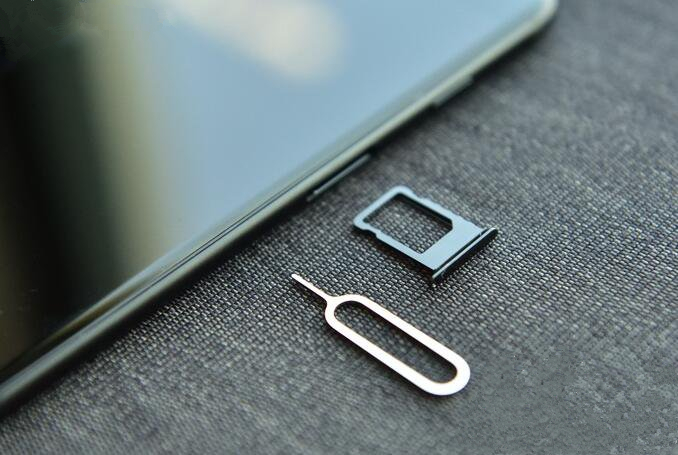
After the SIM card is removed, the SIK Kaka slot is wiped clean, and the power interface and the earphone bit are also taken care of. The position of the slot is relatively small, so the water in the swab can be sucked out.
Three, use a better absorbent towel or paper towel wrapped around the fuselage
Never get your cell phone off and dry because it causes the water to flow inside the phone

Four, with a towel wrapped with good water absorption after the mobile phone, mobile phone will be put into the sealed bag and in the bag, desiccant or join with rice, an air seal for a period of time, will let the body completely dry desiccant moisture.

You can also put the whole bag in a slightly hot place, such as a computer heating. Do not put the phone in a high place, because it will damage the internal components. It is recommended to boot after 24 hours.
The water will damage or whether mobile phone mobile phone parts, damage if the damage of no ground for blame, mobile phone data, so how to restore iPhone Data Recovery? Used to recover lost data in the mobile phone has the advantages of simple operation, rapid recovery. It is suggested that the first time in the loss of data recovery, data recovery more time is shorter.
After a series of emergency measures, if the mobile phone is waiting for recovery, reboot, mobile phone can not recover, then you can go to regular maintenance department for professional and technical personnel to repair, or else there is also a way for mobile phone!
Data Recovery For Android 
Ios Data Recovery Mac 
Formatted Disk Recovery 


https://www.bitwar.net/course/delete/1397.html

Summary: Having troubles on accessing your Gmail or Google account? Forgot the password or even the email address? Relax, use g.co/recover ...